



Migrating voice services is more than a technical task. For most organisations it is a business change that affects customers, sales teams and service desks. A realistic timeline reduces the chance of downtime, prevents lost revenue and keeps staff confident on cutover day. This guide explains a clear sequence of steps to move to hosted phone systems while keeping risk to a minimum.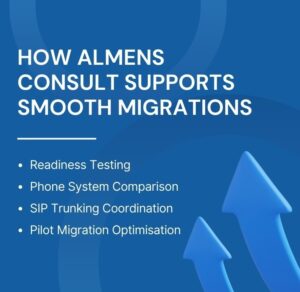 Speak to an Expert
What a migration replaces and who is involved
Before any technical work begins, document the current estate. Typical replacements include legacy PBX appliances, Voice Over IP Landline providers being consolidated into one platform, or simple handset refreshes. Stakeholders usually include:- IT manager or telecoms lead
- Finance representative for contract and billing changes
- Operations or customer service managers for call routing needs
- External vendors and carriers for number porting and circuits
Discovery and Requirements
Begin with an audit. Gather these items quickly:- Inventory of extensions and hunt groups
- Average and peak call volumes by time of day
- Current internet circuits and whether you have Dedicated Leased Lines in place
- Any integrations with CRM or contact centre tools
- Compliance requirements for call recording or data retention
Solution design and vendor selection
Design the solution around business needs rather than features. Key choices include whether to use physical handsets or softphones, and whether to adopt SIP Trunking or retain hybrid voice links. Compare providers on these points:- Service level agreements and uplift options
- Porting support and carrier relationships
- APIs and integration capabilities for existing CRM systems
- Migration support including pilot rollouts
Network and infrastructure readiness
Voice quality depends on the network. Carry out a network readiness check that covers:- Bandwidth assessment and contention ratios for High-Speed Broadband circuits
- VLAN and QoS configuration for voice traffic
- Firewall rules to allow required SIP and media ports
- Whether a Dedicated Leased Lines option or enterprise broadband such as Voda Unlimited is appropriate for resilience
Configuration and pilot deployment
Set up the new environment and run a pilot group. Typical activities:- Provision user accounts and assign telephone numbers
- Configure auto attendants, hunt groups and voicemail policies
- Test integration points with CRM and call logging tools
- Run call quality tests and document MOS results
Training and change management
People determine the success of any cutover. Provide:- End-user training sessions covering handset or softphone basics
- Admin training for your telecoms administrators
- Quick reference guides and one page escalation flowcharts
- Clear communication on cutover date, fallback numbers and who to contact for problems
Number porting and final cutover
Coordinate closely with carriers. Number porting is often the longest dependency. On cutover day follow a checklist:- Confirm porting dates with all carriers and the vendor
- Implement pre-cutover fallbacks such as temporary call forwarding
- Ensure IT and vendor support are on-site or available remotely
- Monitor call acceptance and test inbound and outbound flows
Post-migration optimisation and monitoring
After cutover, collect objective metrics and user feedback. Focus on:- Reviewing call analytics and call failure rates
- Resolving user issues logged via the helpdesk
- Adjusting auto attendants and call routing based on real use patterns
- Assessing cost savings and billing alignment
Common delays and how to prevent them
Plan for these common risks and mitigations:- Porting delays: submit port requests early and keep constant contact with carriers
- Underestimated bandwidth: run real-world tests and plan for growth rather than current needs
- Hardware lead times: order handsets and network equipment early, and stage deliveries to match pilot and cutover schedules
- Incomplete discovery: make discovery mandatory and sign off the inventory before design work begins
Timeline by business size
Timing varies by scale:- Small office, up to 20 users: 6 to 8 weeks if circuits and hardware are ready
- Medium office, 20 to 100 users: 8 to 12 weeks including phased pilots
- Multi-site or complex integrations: 12 to 20 weeks depending on CRM, call recording and compliance needs
Integration considerations and options
Decide which integrations are essential at go live and which can be deferred. Possible items include:- CRM click to call and screen pops
- Call recording and retention for compliance
- Presence and messaging tied to the telephony platform
How Almens Consult supports smooth migrations
Almens Consult provides project-led support to reduce risk and speed delivery. Their services typically include:- Technical readiness assessments and network testing
- Vendor-neutral selection assistance including multi line business phone systems comparisons
- Coordination of SIP Trunking and number porting with carriers
- Pilot management and post-migration optimisation
Final thoughts: Make the Cutover Invisible
A successful migration is one that users barely notice. With methodical discovery, explicit success metrics, staged pilots and clear communications, you will make the transition to hosted phone systems resilient and repeatable. Build time into your plan for carrier dependencies and testing. Treat the project as a change management exercise as much as a technical project, and you will protect customers, reduce business disruption and deliver a modern, scalable telephone systems environment.Frequently Asked Questions About Hosted Phone Systems
What are the core features of a modern hosted phone system?
Cloud-based call routing, auto attendants, voicemail to email, mobile and desktop apps, call analytics, CRM integration and remote scalability.
How to switch to a hosted phone system without downtime?
Plan a phased migration with network testing, pilot users, advance number porting and a temporary call forwarding fallback.
How do hosted phone systems benefit a small business in the UK?
They reduce upfront costs, support remote working, improve call management and scale easily without on-site hardware.
What questions should I ask a hosted phone system provider?
Ask about SLAs, porting support, integration options, security standards, scalability and total monthly cost.
How do hosted phone systems work compared to traditional PBX?
Hosted systems operate in the cloud over internet connections, while traditional PBX relies on on-site hardware and fixed phone lines.