



Businesses face a clear choice for telephony. Keep old phone lines or move to the cloud. Microsoft Teams now serves as a central hub for teamwork. But by itself, Teams cannot call regular phone numbers. That missing link costs businesses time, money, and customers. This is where SIP Trunking Microsoft Teams Direct Routing changes everything. It replaces outdated telephony with a flexible, cloud-based communication system that adapts to your needs. It connects your Teams environment directly to the global phone network. No more separate phone systems. No more inflated bills. No more limits on how many calls you can handle.
This guide walks you through every step of setting up SIP trunking for Microsoft Teams Direct Routing. By the end, you will know how to connect your phone system to Microsoft Teams. You will also understand why this setup saves money and improves call quality.
Microsoft Teams Direct Routing Explained
Direct Routing is a Microsoft feature. It connects Teams to the public telephone network. Think of it as a bridge. On one side, you have Teams users making calls from their laptops or desks. On the other side, you have traditional phone numbers and mobile networks. Direct Routing carries voice traffic between these two worlds.
How does it actually work?
You need a Session Border Controller or SBC. This device sits between your SIP trunk provider and Microsoft Teams. The SBC translates signals. It also enforces security policies. Microsoft certifies specific SBC brands. These include AudioCodes, Oracle, Ribbon, and Tejas. Your SBC can run as hardware on your premises. Or you can use a cloud-based SBC from a provider.
What’s the real advantage?
Direct Routing gives you control. You choose your SIP trunk provider. You manage call routing rules. You decide which users get domestic or international calling. Microsoft does not force you to buy their calling plans. This flexibility appeals to organisations with existing telecom contracts.
Why Integrate SIP Trunks with Microsoft Teams?
Companies already pay for Microsoft Teams licences. Adding voice completes the package. SIP trunks replace old ISDN or PRI lines. These old lines cost more per channel. They also require separate maintenance contracts. SIP trunks run over your internet connection. You pay only for the channels you use.
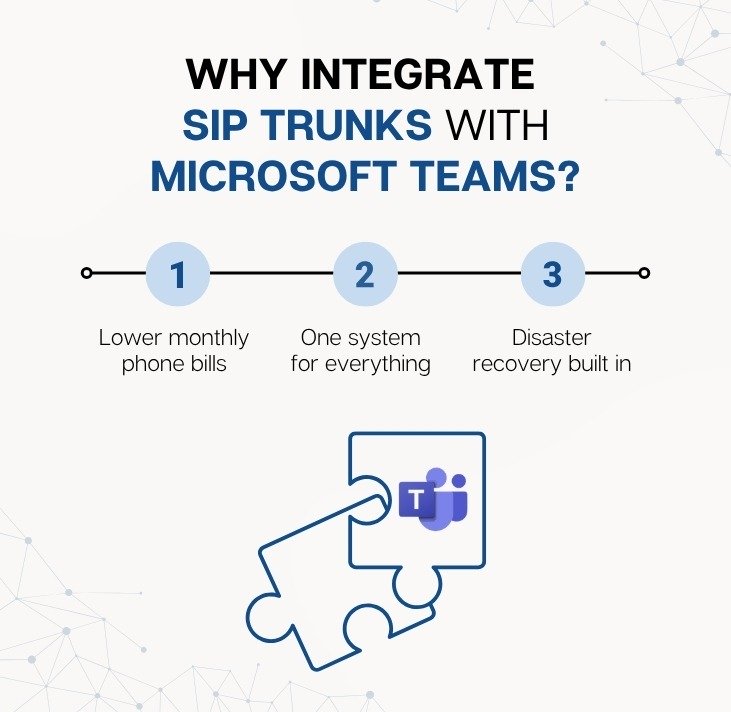
Integration brings three main gains:
- Lower monthly phone bills: SIP trunks cost a fraction of old ISDN or PRI lines. You’re not paying for channels you don’t use.
- One system for everything: Chat, meetings, and calls all live inside Teams. No more toggling between apps.
- Disaster recovery built in: If your office internet goes down, calls can automatically reroute to mobile phones or another site.
Consider a real example. A retail chain with 20 stores switches from PRI lines to SIP trunks with Teams Direct Routing. They cut their telephony spend by 60 per cent. They also stop paying for a separate phone system vendor. All store managers now use Teams for internal and external calls. Training time drops to nearly zero because staff already know Teams.
How SIP Extends Beyond Voice to Support Unified Communications
SIP stands for Session Initiation Protocol. Most people think SIP only handles voice calls. That view is too narrow. SIP carries many types of real-time communication. Video calls, instant messaging, file transfers, and presence information all travel over SIP. When you integrate SIP trunks with Teams Direct Routing, you open the door to unified communications.
What does this mean for your team? A customer calls your main number. The SIP trunk brings that call into Teams. But the system does more than connect audio. It checks the caller’s phone number against your customer database. It displays the customer’s name and recent interactions on the agent’s screen. The agent can share their screen during the call. They can transfer the call with video to a specialist. All of this happens within the same Teams interface.
SIP trunks also support fax over IP and alarm systems. Many businesses still rely on analogue devices. A SIP trunk with the right adapter carries those signals too. You do not lose functionality when you move to Teams. You gain new ways to combine services.
The Technical Architecture
Let us examine the components. A complete Direct Routing setup includes four layers.
Layer 1: Microsoft Teams tenant
You need a Microsoft 365 licence that includes Teams Phone. The minimum is Microsoft 365 Business Voice or Enterprise E5. You also need the Teams Phone licence assigned to each user.
Layer 2: Session Border Controller (SBC)
This device sits at the edge of your network. It connects to Microsoft Teams via the internet. Microsoft supports two connection methods. The first uses an SBC that you own and manage. The second uses a certified SBC from a provider as a service. The SBC must support TLS 1.2 for secure signalling and SRTP for encrypted media.
Layer 3: SIP trunk provider
This company gives you telephone numbers and connects you to the global phone network. Your provider must allow you to point your SIP trunk to your SBC’s IP address. Many providers support Direct Routing natively. Examples include Colt, Gamma, Orange, and Verizon. Smaller regional providers also work, as long as they support standard SIP.
Layer 4: Network connectivity
Your SBC needs a stable internet connection with low latency. Microsoft recommends latency under 50 milliseconds between SBC and Teams. Packet loss should stay below 1 per cent. Jitter must remain under 10 milliseconds. These requirements match what you need for good voice quality on any VoIP system.
The table below summarises the core components.
| Component | Purpose | Typical Options |
|---|---|---|
| Microsoft 365 tenant | User management and licences | Business Voice, E3 with Phone add-on, E5 |
| Session Border Controller | Signal translation and security | Hardware (AudioCodes, Oracle) or cloud SBC |
| SIP trunk provider | Telephone numbers and PSTN access | Tier 1 carriers or regional providers |
| Internet connection | Transport for voice and signalling | Fibre broadband, MPLS, or dedicated internet access |
Real-World Business Benefits
Let’s get specific. Here’s what actually changes when you switch.
| Benefit | What It Means | Key Advantage |
|---|---|---|
| Cost Reduction | Traditional phone lines charge per channel regardless of usage. SIP trunks charge only for concurrent calls. Example, 100 agents use 30 lines which can reduce cost by up to 70 percent. Direct Routing adds no per minute fees from Microsoft. | Pay only for what you use |
| Scalability | Add a new office by provisioning a SIP channel in minutes. No engineer or wiring required. Remove a location by cancelling channels quickly. | Instant capacity changes for growth or seasonal demand |
| Geographic Flexibility | Keep existing numbers through porting. Acquire numbers from different regions to build local presence. For example, a London firm can use New York numbers. | Local caller ID improves answer rates globally |
| Call Quality | Direct Routing uses Microsoft global network with direct ISP peering. This reduces hops and latency. | Better voice quality than traditional ISDN lines |
| Centralised Administration | Manage users, call forwarding, voicemail, and reports from the Teams Admin Centre. Create auto attendants and call queues without extra tools. | One portal for full voice control |
Step-by-Step Implementation Checklist
Follow these steps in order. Do not skip the planning phase. Most problems arise from poor preparation.Step 1: Assess your current environment
Count your active phone users. List your existing phone numbers. Note any special devices like fax machines, door entry phones, or lift emergency lines. These may need analogue adapters.Step 2: Choose your SBC
Decide between on-premises hardware or cloud SBC. On-premises gives you full control but requires maintenance. Cloud SBC reduces your management burden but adds monthly fees. Check Microsoft’s certified SBC list. Uncertified devices will not work.Step 3: Select a SIP trunk provider
Ask every candidate these five questions:- Do you support Microsoft Teams Direct Routing?
- Can you port my existing numbers?
- What’s your pricing model? (per channel, per minute, bundled)
- Do you offer 24/7 support?
- What’s your SLA on uptime?